Two ways for staff to clock in
A fixed BMO TF at the entrance for a site with a controlled door, or the Android and iPhone app where mounting hardware isn't practical. Both read the employee badge and post the same attendance record.
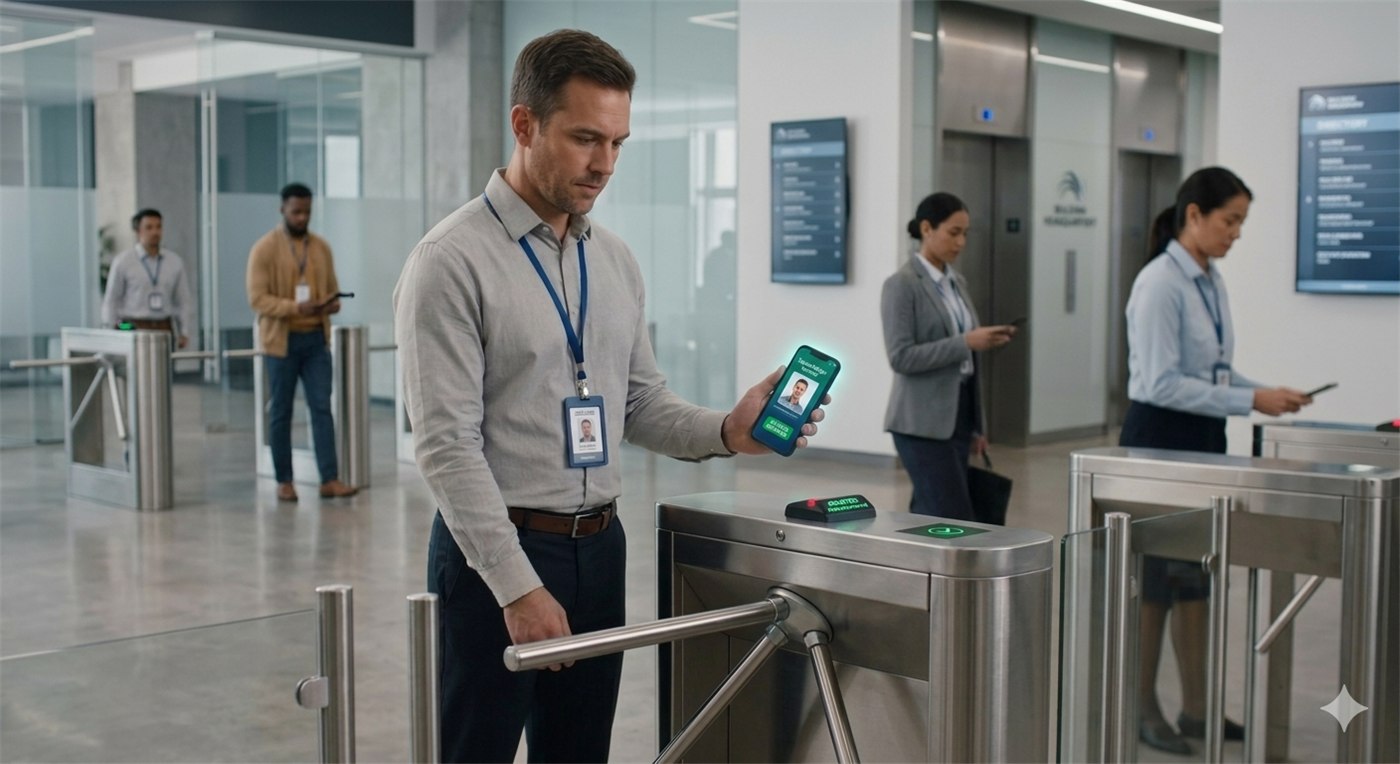
Fixed device, or a phone in someone's hand
They record the same thing. The difference is what your entrance looks like.
The fixed entrance scanner
Mounted at the staff door and set to badge attendance scanner mode. This is the option when the clock-in should also be the way in — it drives the tri-bar relay, so nobody gets through without being recorded.
- Set to badge attendance scanner mode
- Releases the tri-bar on a valid scan
- Liveness check available, so a photo won't pass
- Optional thermal reading against a threshold
- The same unit runs event mode when you need it
Scanning from a phone
Using the Android or iPhone app, a supervisor scans employee badges — no fixed hardware, nothing mounted, nothing cabled. Useful for sites, shifts and locations where installing a terminal isn't worth it.
- Android and iPhone
- Scans the same employee badge
- Attendance posts online the same way
- No installation, no cabling, nothing on a wall
- Moves with you between sites
Three steps, done once per device
Company code
Key your company code into the device so it knows which account it belongs to.
First sync
Run the first sync to pull your company and employee details down to the device.
Badge attendance mode
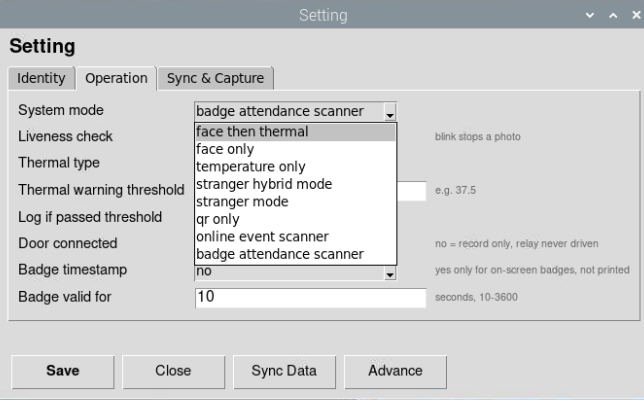
Choose badge attendance scanner as the system mode, and it starts taking staff.
The mode is a setting, not a different machine
The same BMO TF that scanned guests into your exhibition last month can be switched to badge attendance mode and put on the staff door this month. You are not buying separate hardware for events and for HR.
- Badge attendance scanner for staff
- Online event scanner for guests
- Changed in settings, no re-installation
Device at the door, or an app in a pocket?
Tell us how your staff arrive and where, and we'll say which one fits — and quote it.