Qsystem Event Registration & Door Access Control
Create the event online and you get two QR codes: one that configures the scanner, one that guests register with. They receive an entry QR by verified email — scanning it at the door records attendance live and releases the tri-bar.
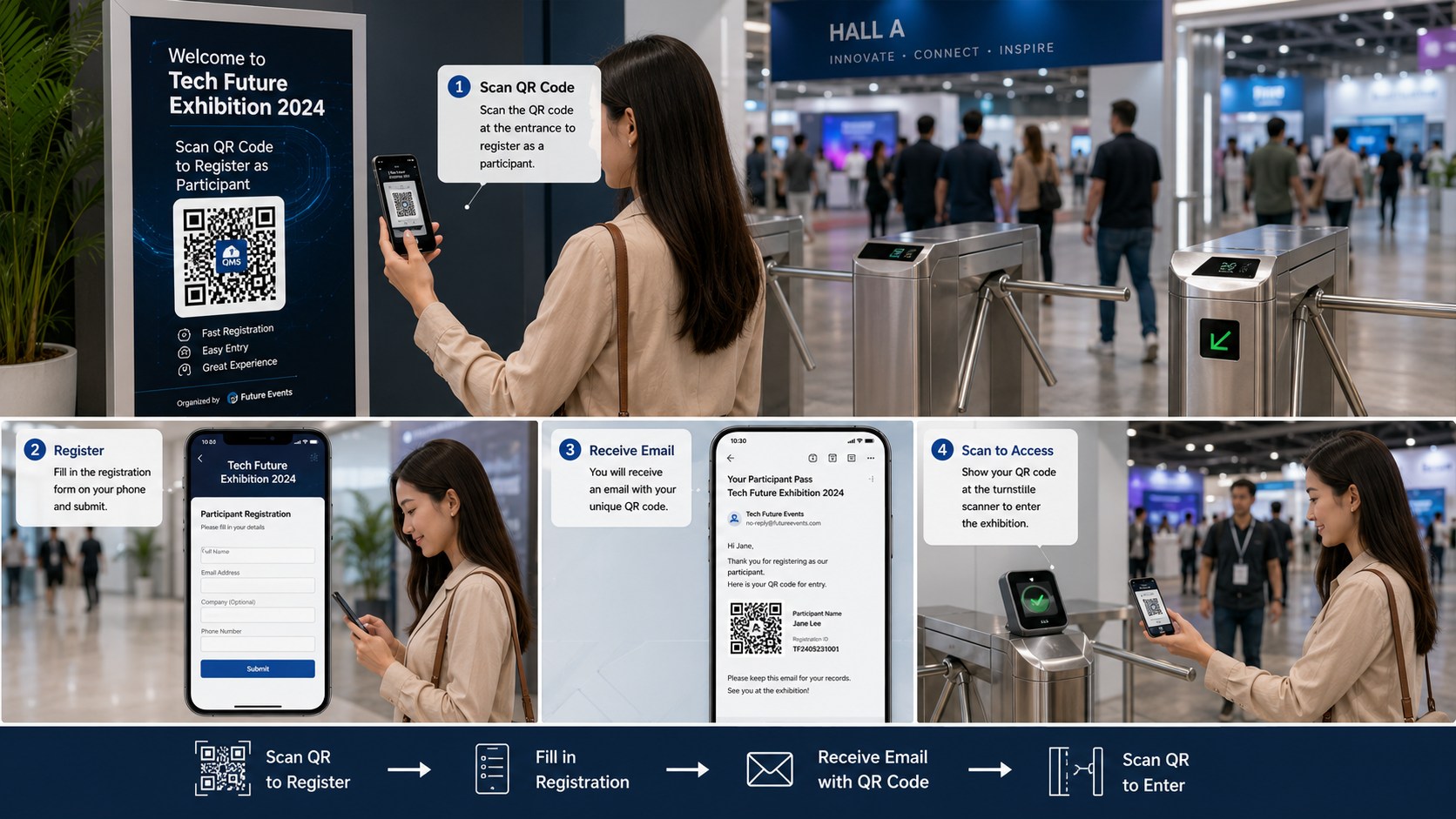
From setting up the event to opening the door
Six stages. The first three happen before the day, the last three happen at the entrance.
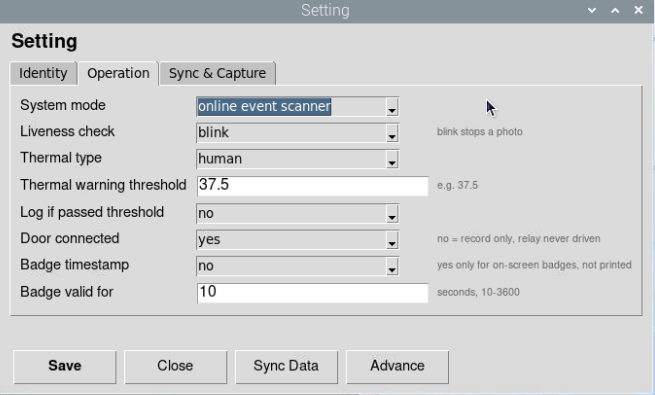
Prepare the scanner
On the BMO TF, key in your company code and run the first sync, then set the system mode to online event scanner. A QTP can be used as an event attendance device instead — scan to set its role and it's ready.
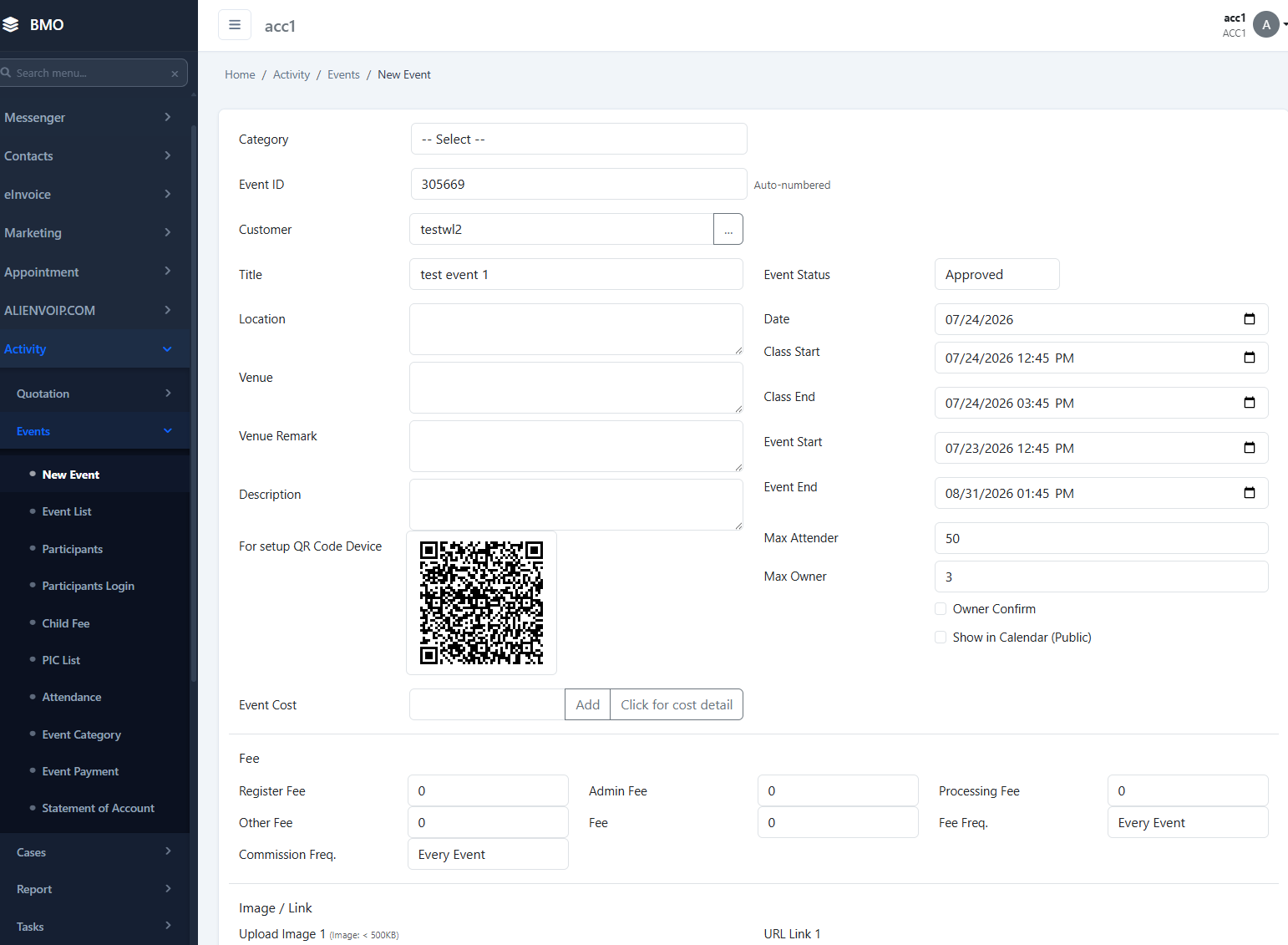
Create the event online
Log in to the BMO web app and set the event up. Every event produces two QR codes: one to configure a device, and one for guests to register with. That's the whole configuration — no typing settings into the scanner by hand.
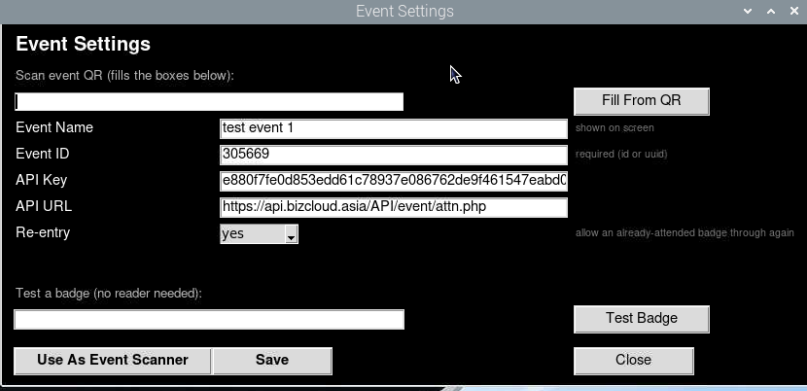
Point the device at the event
Press F2 on the BMO TF for the menu, choose Event, and scan the device setup QR. Every detail comes across at once — which event, which settings — with nothing keyed in and nothing to get wrong.
Guests register from a QR
Display or share the registration QR — on signage at the entrance, in an invite, on social media. Guests scan it, fill in the form, and if your event has sessions they choose which one they're attending.
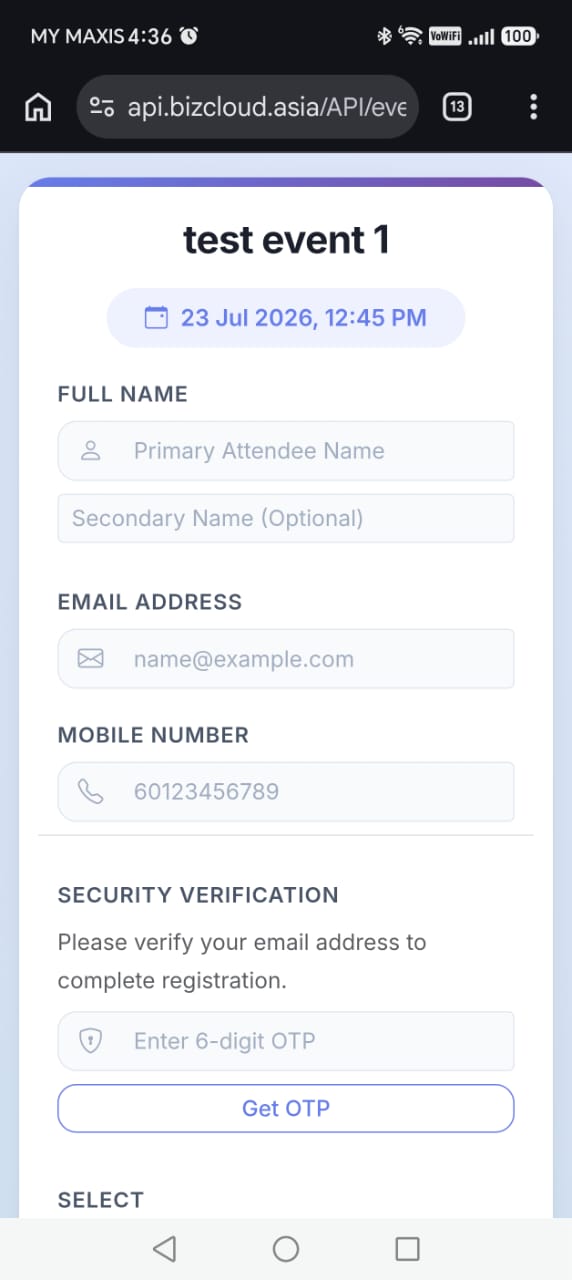
Their pass arrives by email
Once registered, the guest receives an email containing their own QR code. The email address is the security check — it has to be verified, so the pass reaches a real person you can identify later.
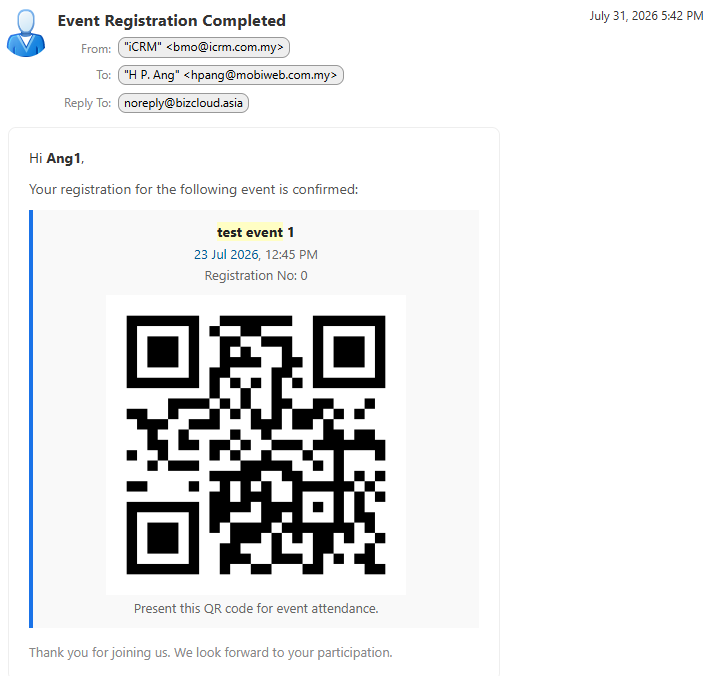
Scan at the door, the tri-bar opens
On the day the guest holds up the QR from their email. The device — a BMO TF in event mode or a QTP — reads it, records the attendance online instantly, and on a successful scan releases the tri-bar or door.
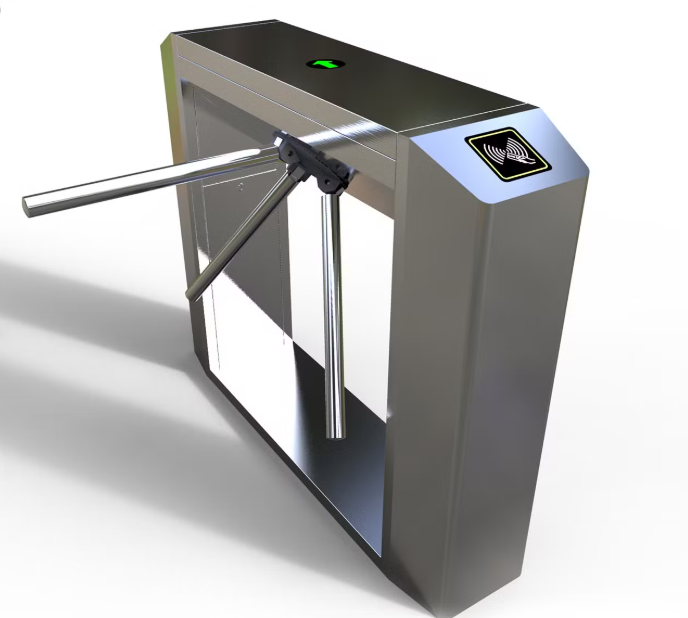
Four things to set up, once
The event
Created in the web app, with its two QR codes generated for you.
The scanner
A BMO TF in event mode, or a QTP set as an attendance device.
The guests
They register from a QR and are issued a pass by verified email.
The list
Who registered, who turned up, and who still needs a reminder.
Watch the room fill up from anywhere
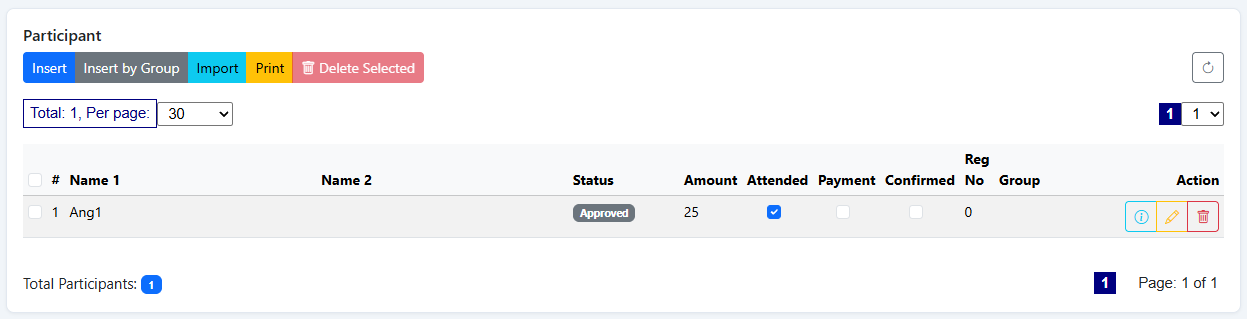
Every scan lands online immediately, so the participant list doubles as a live attendance board. You can see who has arrived and who hasn't from the registration desk, the back office, or your phone in another building.
- Registered guests listed with their status
- Attendance ticks over as people scan in
- Open a guest to see their details and pass
- Send a reminder to anyone who hasn't shown
Anywhere you need to know who came in
Tell us about the event
How many guests, how many entrances, and whether you need a turnstile. We'll size the devices, set the event up with you, and be there on the day if you want us.