QTP-150 Queue Ticket Printer
A touchscreen and a thermal printer in one unit. Customers press the service they want and the ticket prints instantly. Run it connected to the full Qsystem on-premise system, or standalone with no server at all — the same machine does both.

One printer, connected or on its own
Buy it standalone today and connect it to a full queue system later — it's the same hardware either way, so nothing is wasted.
Part of the on-premise system
The QTP joins your network and talks to the Queue Manager. It pulls its service buttons from there, so changing what's on offer is one central edit — not a visit to every printer. Tickets feed the counters, the TV display and your reports.
- Service buttons configured centrally in the Queue Manager
- Numbers flow to counters, QDisplay and QCaller
- Daily number reset handled by the system
- Multiple QTPs share one numbering pool
- Full queue reporting and history
A queue number printer, nothing else
Plug it in and it prints running queue numbers immediately — no Queue Manager, no MySQL, no network. The simplest way to bring order to a counter. There is no counter calling or TV display in this mode.
- Works out of the box — no server, no PC
- Buttons configured on the unit itself
- Prints on 80mm thermal paper
- Connect it to a Queue Manager later, same unit
- No calling or TV display in this mode

| Standalone | Connected to the system | |
|---|---|---|
| Prints queue tickets | Yes | Yes |
| Multiple service buttons | Set on the unit | Set centrally |
| Daily number reset | Yes | Yes, system-wide |
| Counter calling (Call / Next / Push) | No | Yes |
| QDisplay TV & voice call-out | No | Yes |
| Queue reports & history | No | Yes |
| Needs a server / MySQL | No | Queue Manager required |
| Price | RM 3,599 | Part of a package quote |
Built for busy service counters
WiFi ready
Joins your local network instantly and works with the Queue Manager across multiple counters.
Flexible print orientation
Print normal or reversed to suit how the unit sits on your counter and how customers reach it.
Programmable buttons
Assign any service to any button — from a single department to a multi-branch setup.
On-screen status
The unit shows its own printer, server and internet status, so staff can see at a glance that it is live.
Customisable display
Choose where the message sits — left, centre or right — for the best readability in your space.
Seamless integration
Works with the on-premise Queue Manager, a LAN server setup, and alongside the cloud and WhatsApp systems.
What it looks like in service
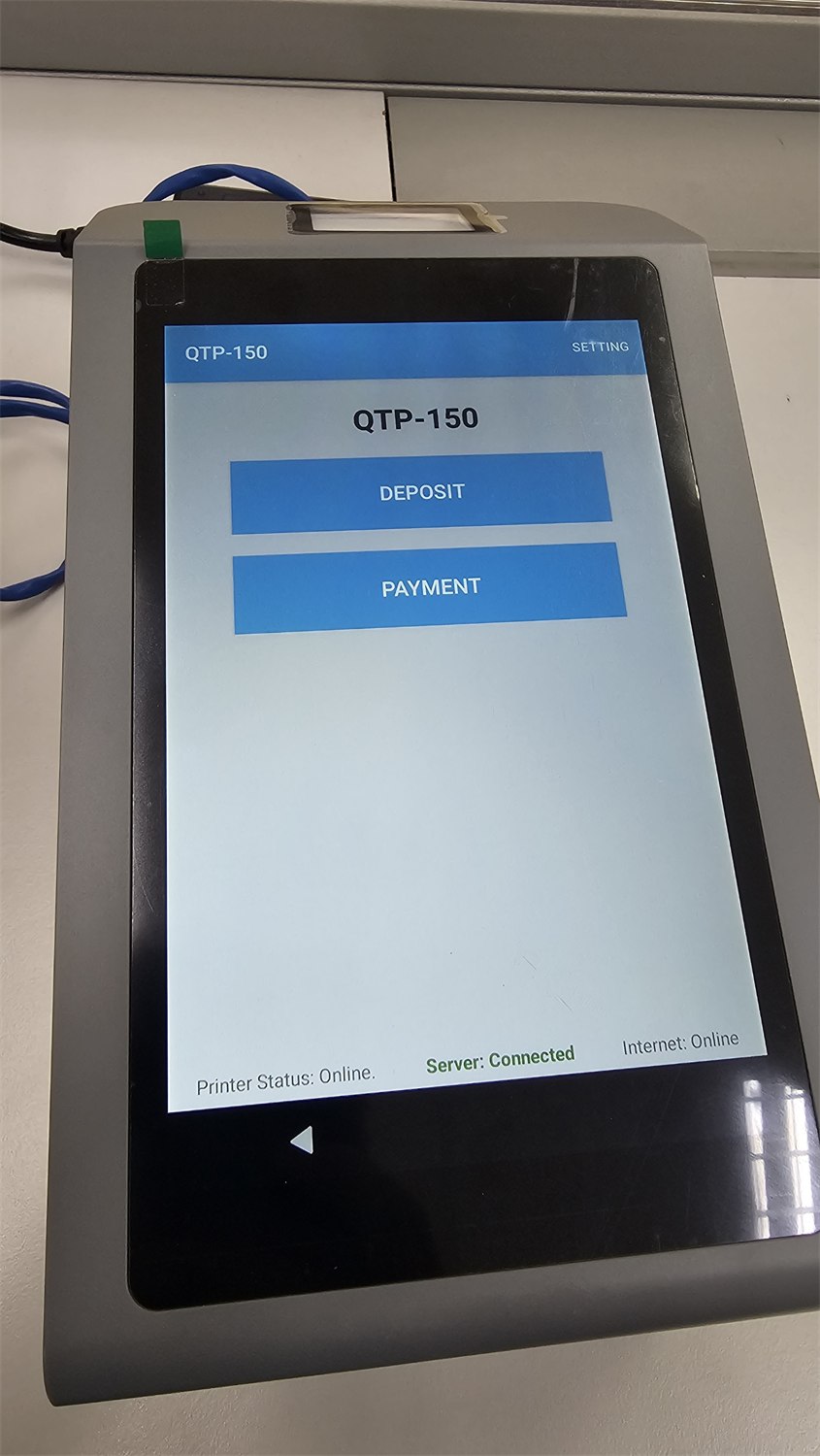
Two buttons, one ticket
Customers see only what you want them to: the services on offer, as large touch targets. Here the unit offers Deposit and Payment. Press one, take the ticket, sit down.
- Large, obvious touch buttons — no instructions needed
- Your service names, in your wording
- Ticket prints in about a second
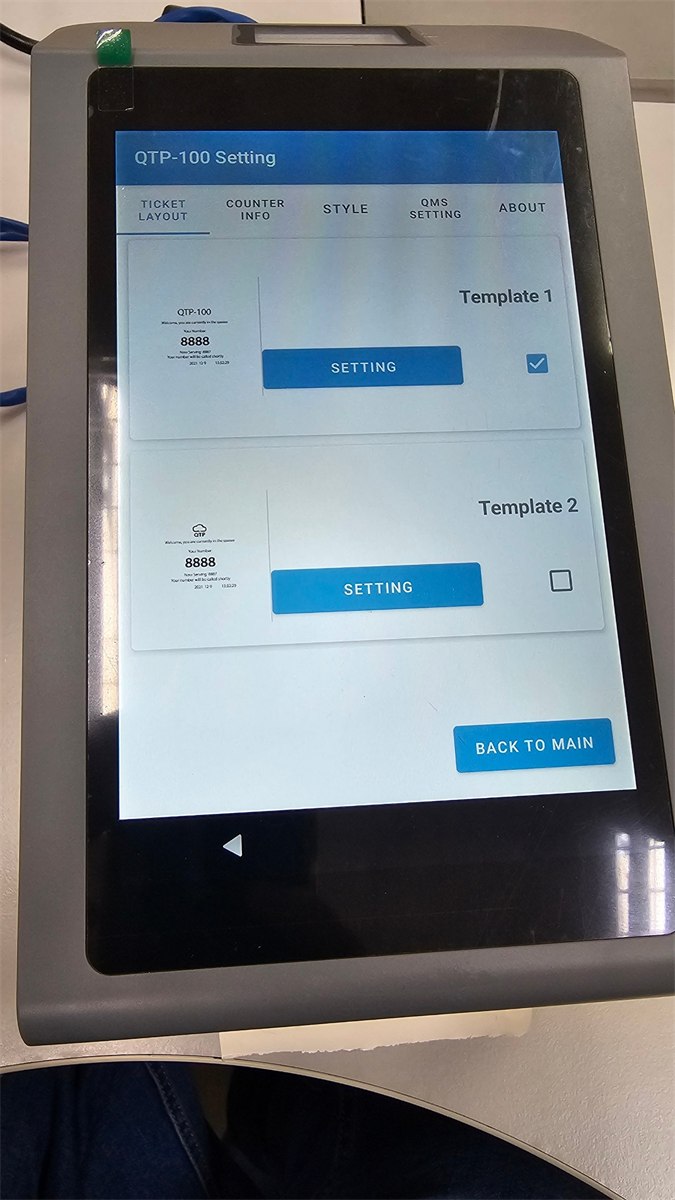
Settings live behind one button
Tap SETTING in the corner and you reach the configuration: which server to talk to, how the ticket prints, and what each button does. In a connected setup most of this comes down from the Queue Manager, so the unit needs almost no attention.
- Server connection and printer options in one place
- Button labels and ticket layout per unit
- Connected units inherit their buttons centrally
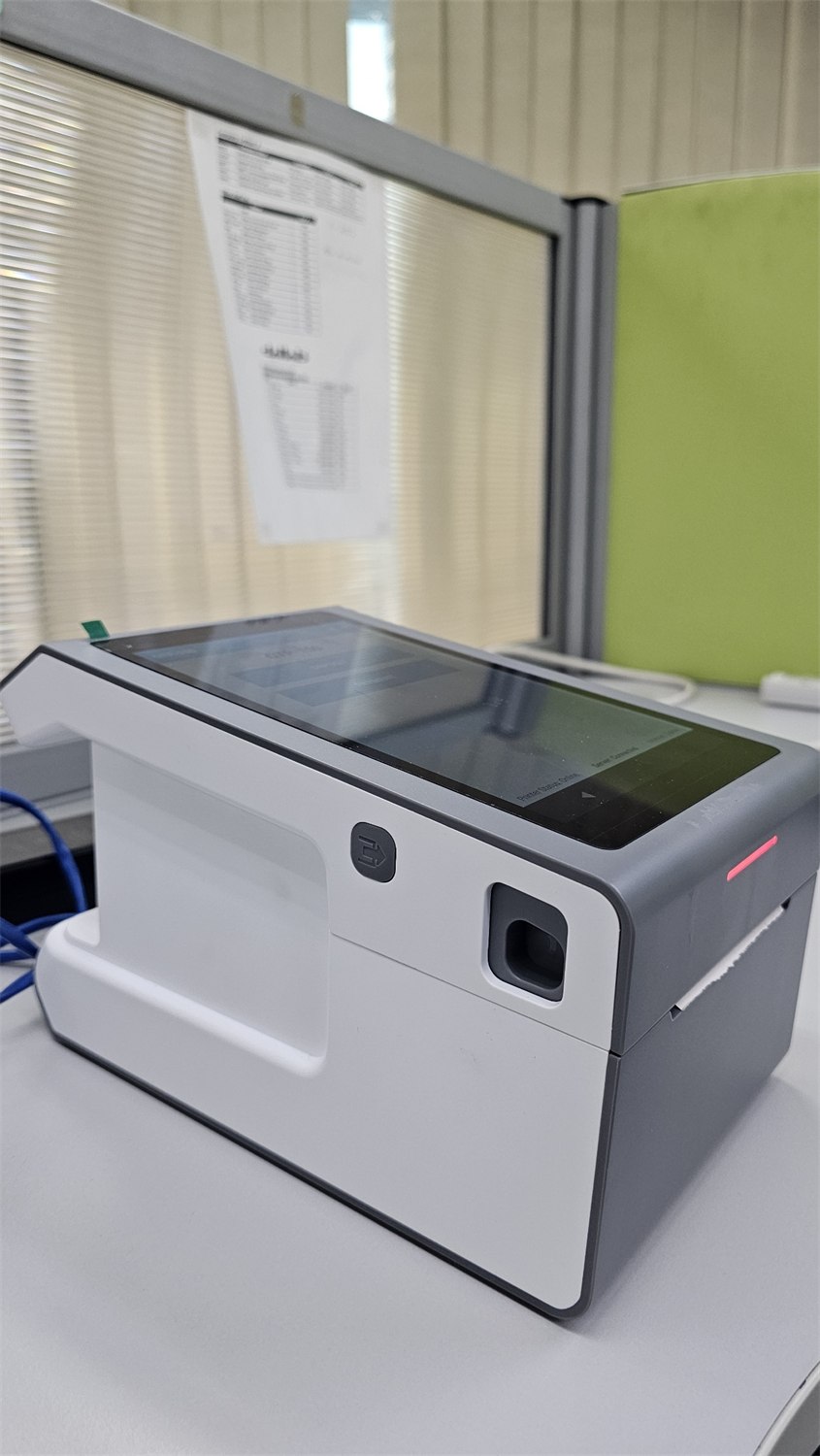
Multiple ticket layouts
Pick the layout that suits your counter, and we configure it during setup.

Standard layout
Clean and professional — queue number, who is being served, and the estimated wait.

Welcome layout
Adds a welcome message above the queue details — a warmer first impression.

Orientation options
Normal or reverse print, so the ticket reads the right way up as the customer takes it.
What you get
| Item | Detail |
|---|---|
| Model | QTP-150 queue ticket printer |
| Interface | Touchscreen with programmable service buttons |
| Printing | Built-in thermal printer, 80mm paper, normal or reverse orientation |
| Connectivity | WiFi — connects to the Queue Manager on your local network |
| Modes | Standalone number printer, or connected to the Qsystem on-premise system |
| On-screen status | Printer, server and internet status shown on the unit |
| Ticket layouts | Standard and welcome layouts, message position configurable |
| Standalone price | RM 3,599 — one-time, includes setup & configuration |
| Connected price | Quoted as part of a queue system package |
| Installation | On-site setup and staff briefing across Malaysia and Singapore |
Ready to put a QTP on your counter?
Take it standalone at RM 3,599, or let us quote it as part of a full queue system with the Queue Manager, TV display and counters. Installed on site.