Who registered, and who actually came
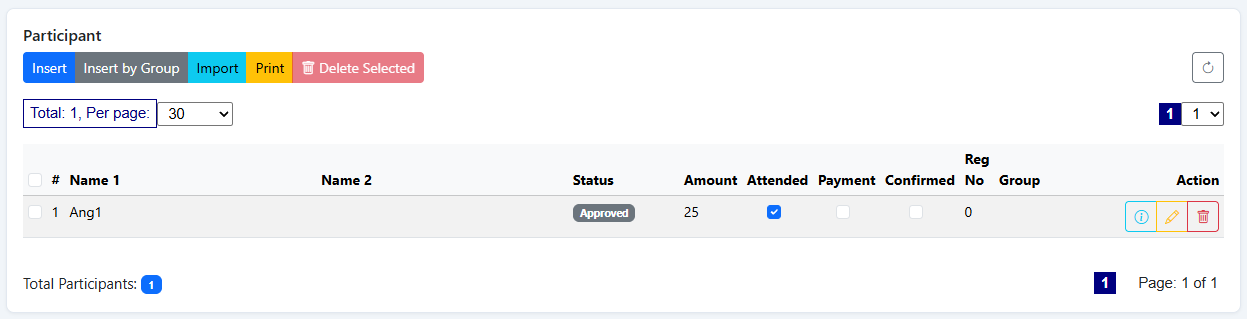
Every registration lands on one online list. As guests scan in at the door the attendance column ticks over in front of you — so you know how the room is filling while there is still time to do something about it.
Three things it answers
Who signed up
Everyone who completed the registration form, with their name, status and group, added the moment they submit.
Who has arrived
An attendance mark against each person, set automatically when their QR is scanned at the door.
Who is still missing
The gap between those two is the useful bit — and you can act on it with a reminder before the event ends.
Everything about a participant on one screen
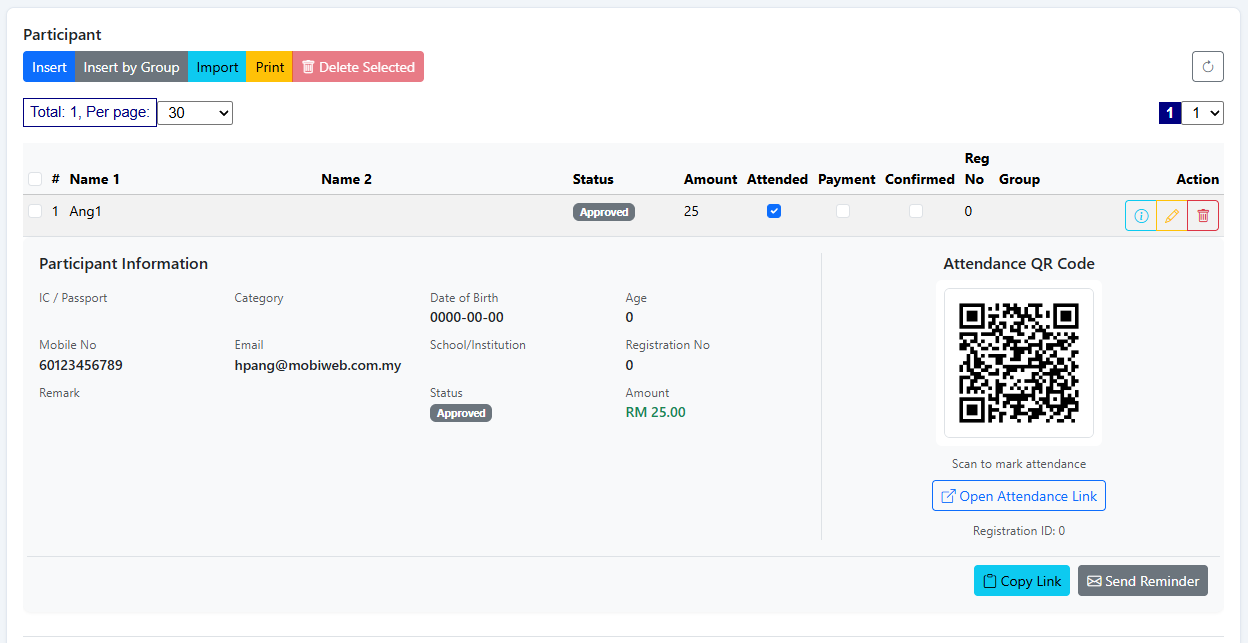
Open a row and you get their details — contact number, email, category, group, registration number, status and amount — alongside their attendance QR code. Right there you can copy their attendance link or send them a reminder.
- Contact details and registration number
- Status, payment and confirmation flags
- Their attendance QR, ready to re-send
- Copy link, or send a reminder, from the record
Scanned at the door, or ticked by hand
Most guests are marked automatically when they scan in. For the ones who turn up without their email, or an entrance where you'd rather check people in from a laptop, the attendance box can simply be ticked on the list.
- Automatic on a successful door scan
- Manual tick from the list when needed
- Either way it lands in the same record
- Counted against the session they registered for
The things you'll need on the day
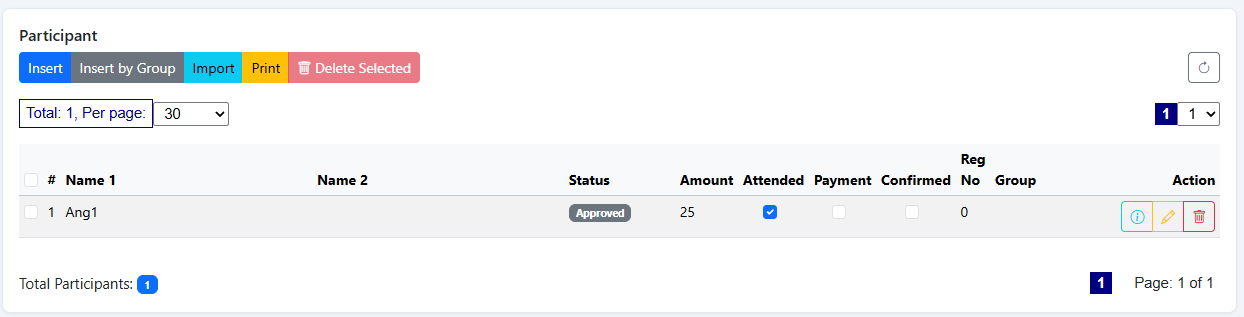
| What you see per guest | Detail |
|---|---|
| Name | Primary and secondary name fields |
| Status | Registration status, such as approved |
| Attended | Ticked automatically on scan, or by hand |
| Payment & confirmed | Flags for events where a fee or confirmation applies |
| Amount | The fee recorded against the registration |
| Group & registration no. | For grouping parties and referencing a booking |
| Contact | Mobile number and email address |
| Attendance QR | Their pass, with copy-link and send-reminder |
See the list with your own event on it
Send us the event details and we'll set it up so you can watch a test registration appear and be marked in.