The timesheet writes itself
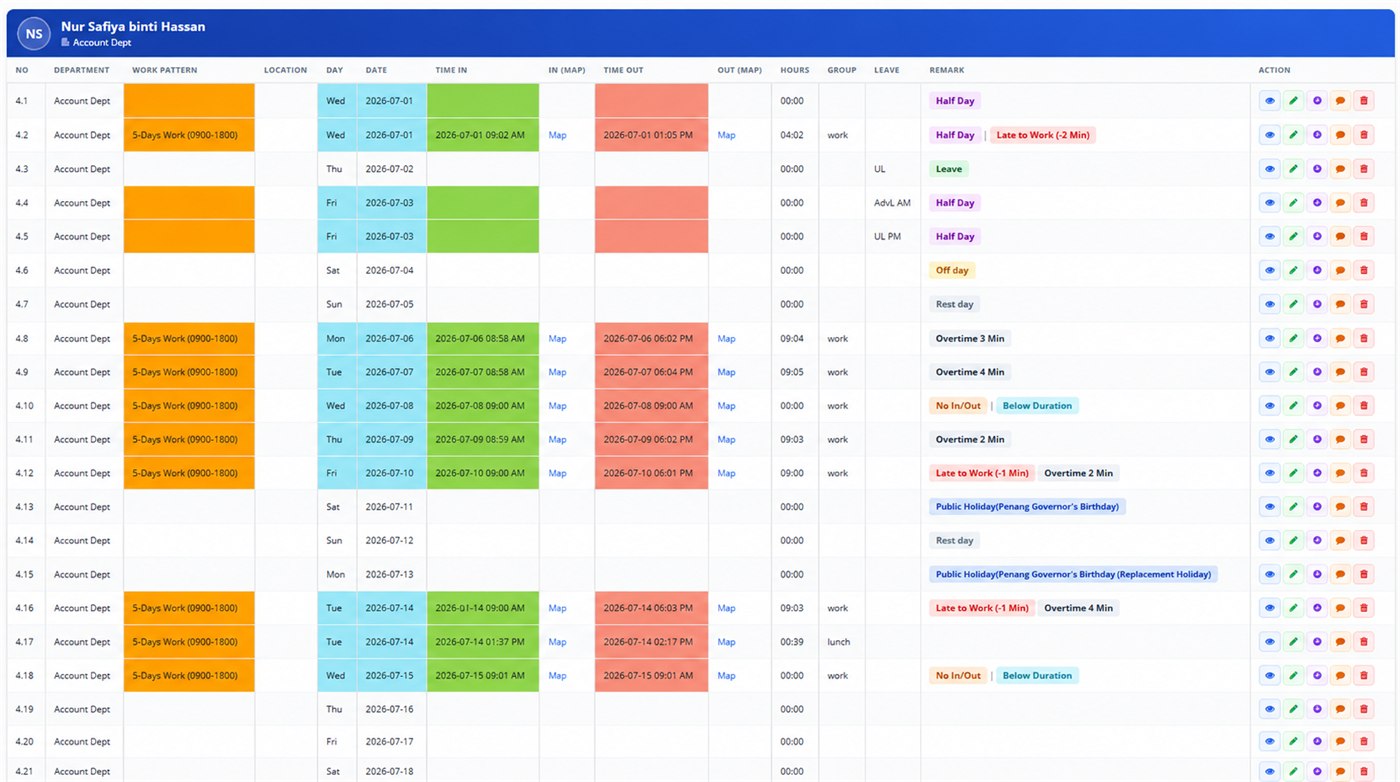
Every scan posts online as a row in that employee's daily attendance. Not just a timestamp — the work pattern they're measured against, the hours they actually did, where the scan happened, and a plain-language remark saying whether they were late or worked over.
One employee's month — a row per day, whether they worked it or not
Eight things against every day
A row exists for every calendar day, so a missing scan is visible as a gap rather than being silently absent from the list.
Department
Which department the employee belongs to.
Work pattern
The shift they are measured against, e.g. a 5-day 0900–1800 pattern.
Day & date
One row per calendar day, including weekends and holidays.
Time in / out
The actual scan times, colour-coded so gaps stand out.
Map
Where the scan happened, opened on a map from the row.
Hours
Worked hours calculated from the in and out pair.
Group
Which segment of the day the entry belongs to, such as work or lunch.
Leave
Leave taken against that day, including half-day leave.
The system works out what kind of day it was
This is the part that saves the time. Nobody sits comparing scan times against a shift pattern — each day is labelled automatically.
Arrival after the pattern start, with the number of minutes.
Time worked beyond the pattern, with the number of minutes.
Half a day worked or taken as leave.
A scan is missing — someone forgot on the way in or out.
The day fell short of the expected hours.
Non-working days in the pattern, marked rather than left blank.
Named holidays, including replacement holidays.
A full day of approved leave.
Measured against the shift they actually work
Lateness only means something relative to a start time. Each employee carries their work pattern — a five-day 0900 to 1800, for instance — and every day is judged against that, so different shifts don't need different spreadsheets.
- Pattern shown on every row
- Late and overtime measured against it
- Off days and rest days come from the pattern
- Different staff can run different patterns
Location comes with the time
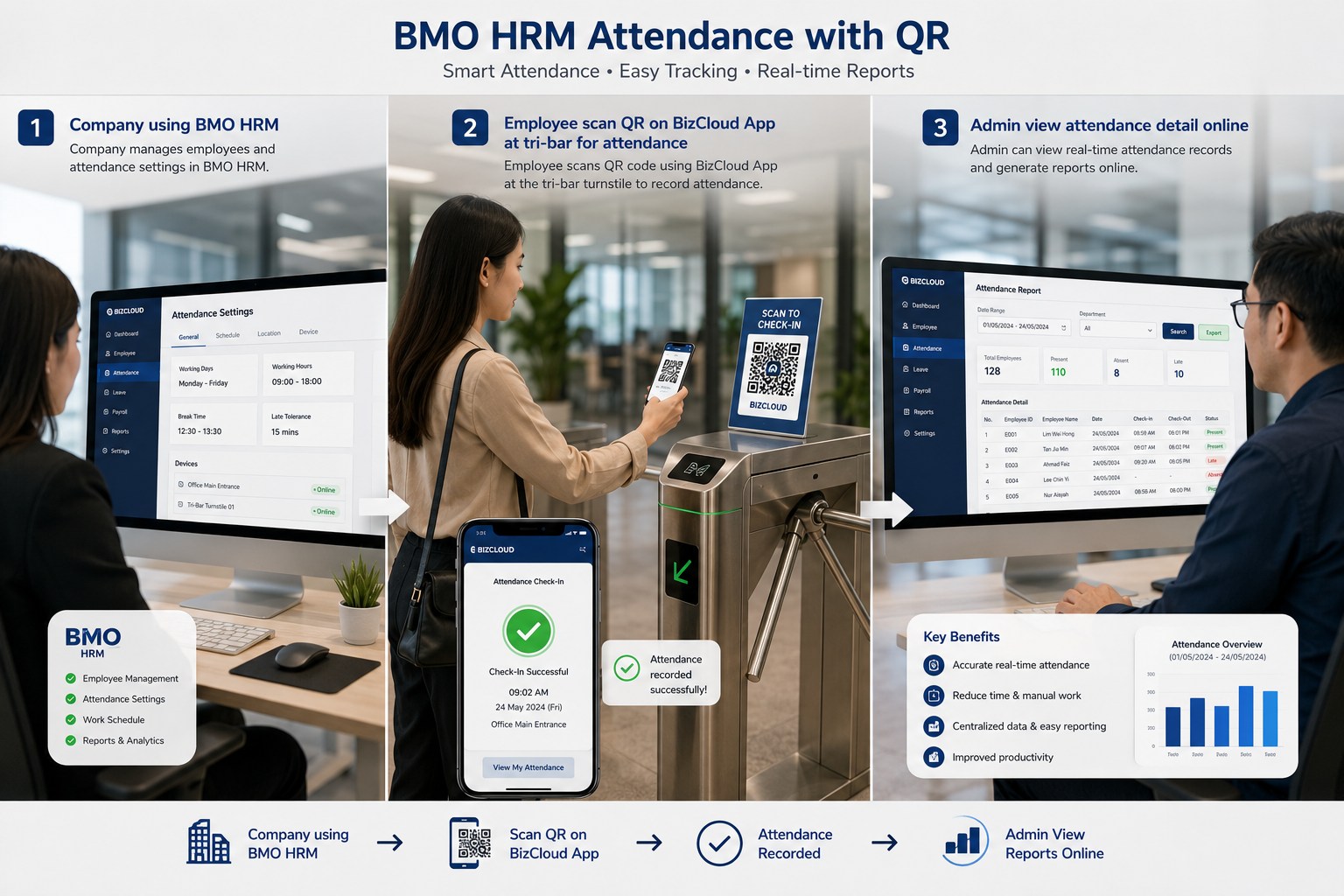
Each scan carries a map link, so a clock-in is a place as well as a moment. That matters for site staff, multiple branches, and anyone using the mobile app away from a fixed entrance.
- Map link against the in and out scan
- Useful for site and field staff
- Leave, half-days and holidays recorded on the same row
- Public holidays named, replacements included
Stop rebuilding timesheets by hand
Tell us your headcount and shift patterns and we'll set the attendance up so the record matches how your people actually work.