QCaller — one job, done properly
A small touchscreen that sits in the corner of the counter. Press NEXT and the next customer is called — the TV updates and the announcement plays. Key in a specific number when you need to. That's the whole device, and that's the point.
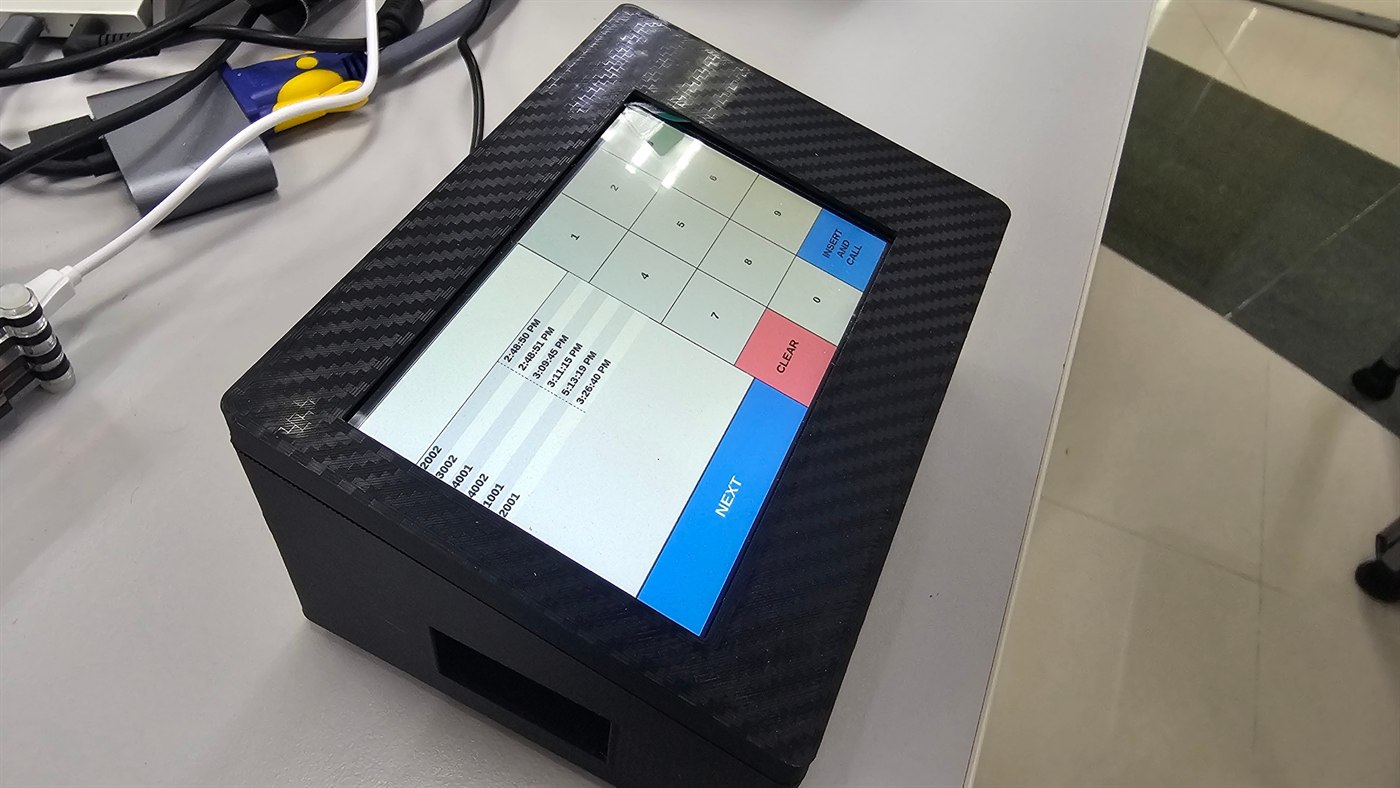
Four things to touch, nothing else
No menus to learn. A new staff member can work it in the first minute of their shift.
and Call
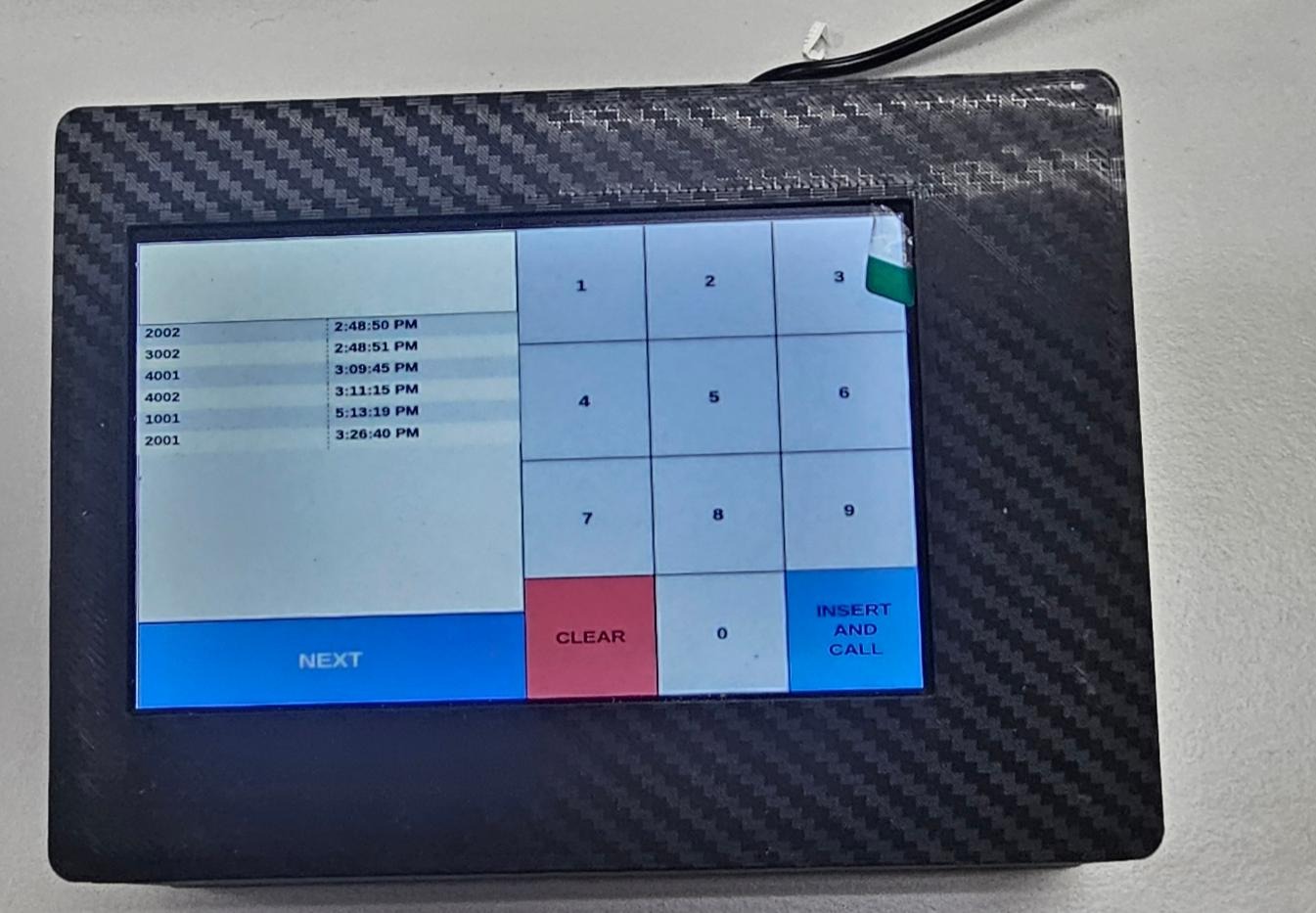
Match it to how your counter actually works
Some counters work through a queue in order. Others call whoever they need next. QCaller does both — you pick the mode at setup.
Auto queue list
Numbers issued at the printer or kiosk appear in order. Staff press NEXT and the system takes the next one automatically — the keypad is still there for an override.
- Waiting numbers listed in order with timestamps
- NEXT calls the following number automatically
- Keypad available for an instant override
Manual number entry
Staff type any queue number and call it. Suits counters where the order is decided by the person serving rather than by the ticket sequence.
- Numeric keypad to enter any number
- Large call button for an immediate announcement
- Called list with timestamps still visible
Built to sit on a counter all day
Compact touchscreen
Small enough to leave room for the work your staff are actually doing on the counter.
Dual layout modes
Auto queue list or manual number entry — switch to whichever matches the counter.
LAN and WiFi
Wire it for stability, or use WiFi where running a cable to that desk isn't practical.
Instant response
Press NEXT and the TV display updates with the announcement — no perceptible lag.
Called list with times
Every number this counter called, timestamped, right there on the screen.
Works with your setup
Connects to the Queue Manager like the printers and displays do. Add one per counter as you grow.
What you get
| Item | Detail |
|---|---|
| Device | QCaller counter-top queue calling unit |
| Screen | Compact touchscreen in an angled desktop housing |
| Controls | Numeric keypad, NEXT, CLEAR, INSERT AND CALL |
| On screen | Numbers already called from this counter, with timestamps |
| Layout modes | Auto queue list, or manual number entry |
| Connectivity | LAN or WiFi to the Queue Manager on your network |
| Price | RM 1,499 — one-time, per counter |
| Warranty | 3 months, extendable to 1 year (+RM 200) |
| Installation | On-site setup across Malaysia and Singapore |
One per counter, and the queue moves
Tell us how many counters you run. We'll quote QCallers alongside the display and the Queue Manager, and install the lot on site.