Qsystem Employee Attendance & Tribar System
The same scanner hardware, pointed at your own staff. An employee scans their badge, the tri-bar releases, and the clock-in posts online as a daily attendance record — complete with their work pattern, hours, and whether they were late.
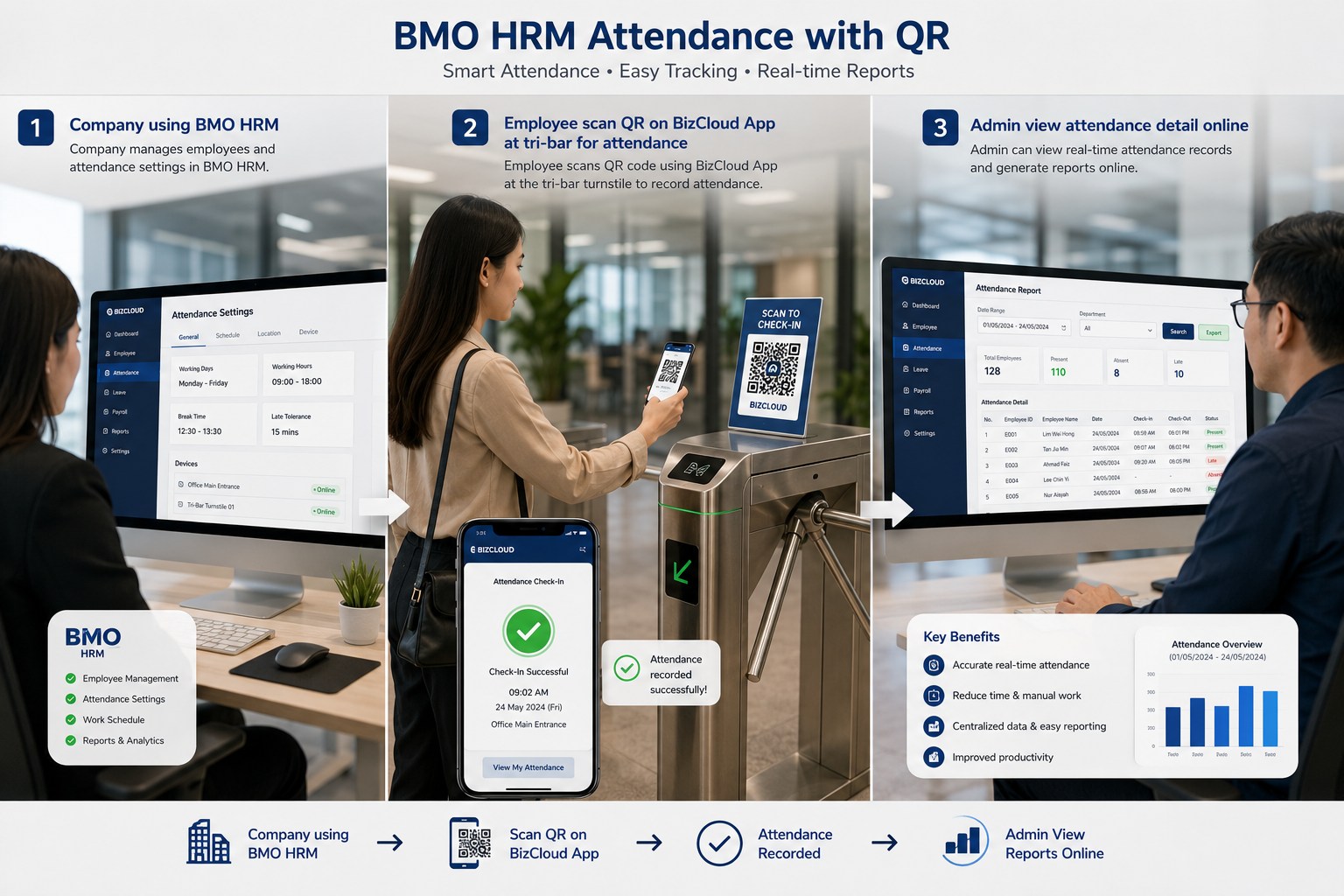
Three steps, and the timesheet writes itself
Set the device up once. After that, the only thing anyone does is scan.
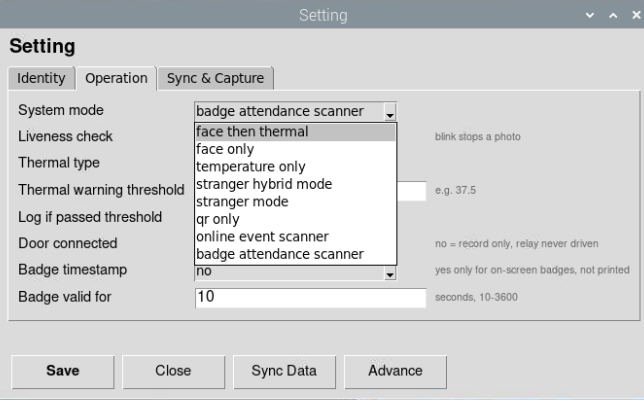
Set the device to badge mode
Key in your company code, run the first sync, then choose badge attendance scanner. That's the device configured.
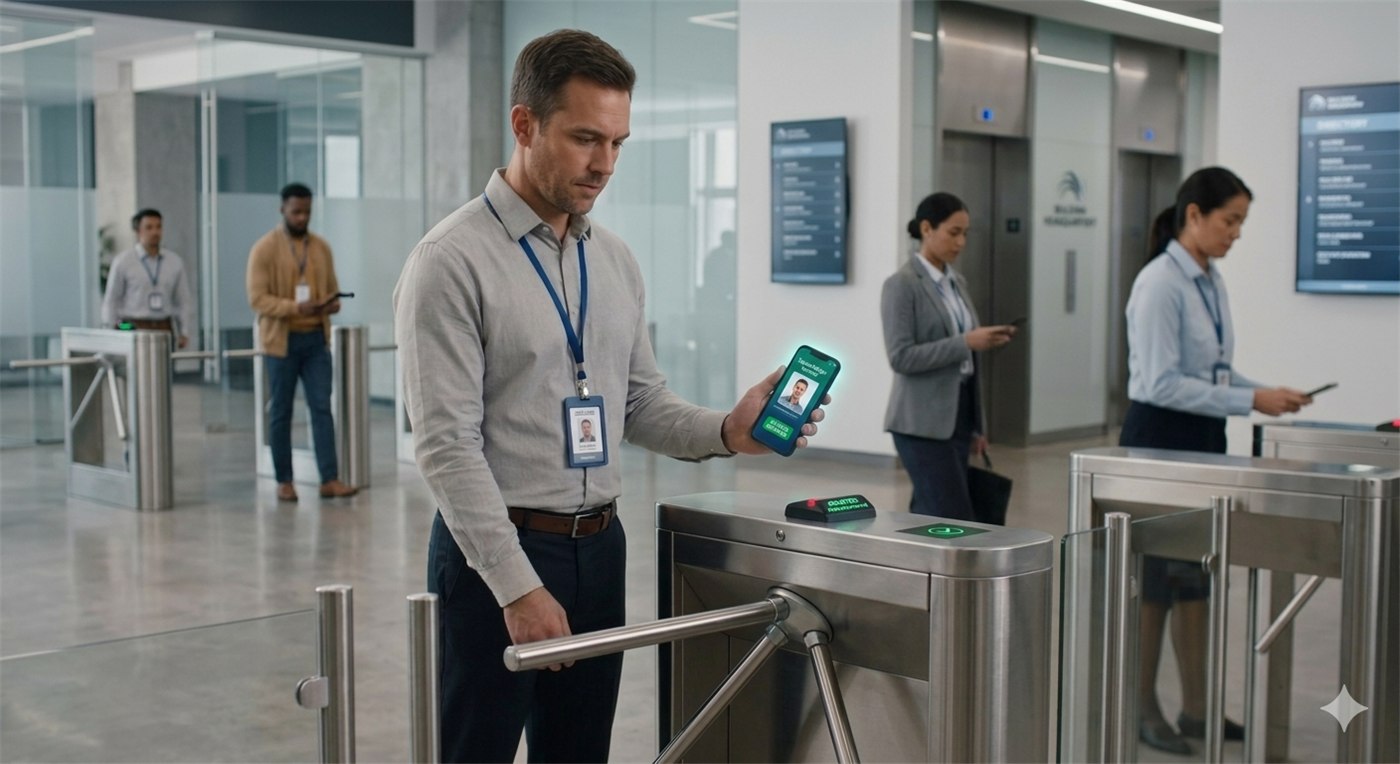
Staff scan to get in
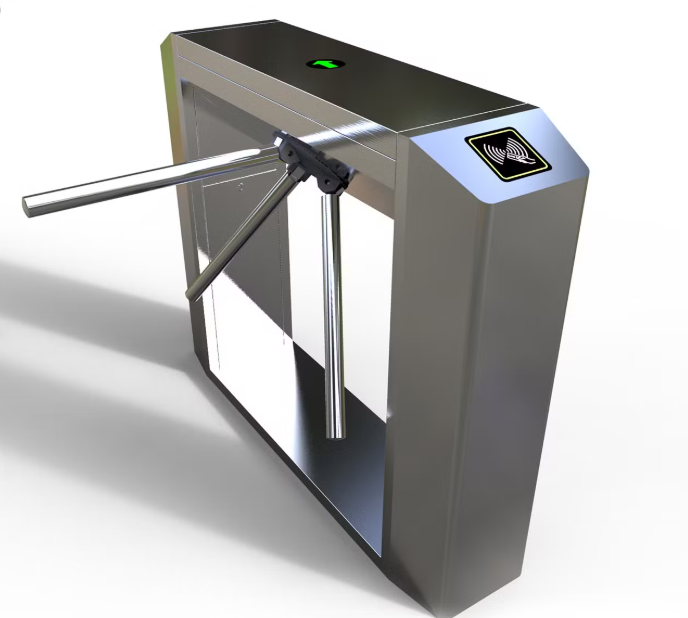
An employee scans their badge at the device, or uses the Android or iPhone app. A valid scan releases the tri-bar.
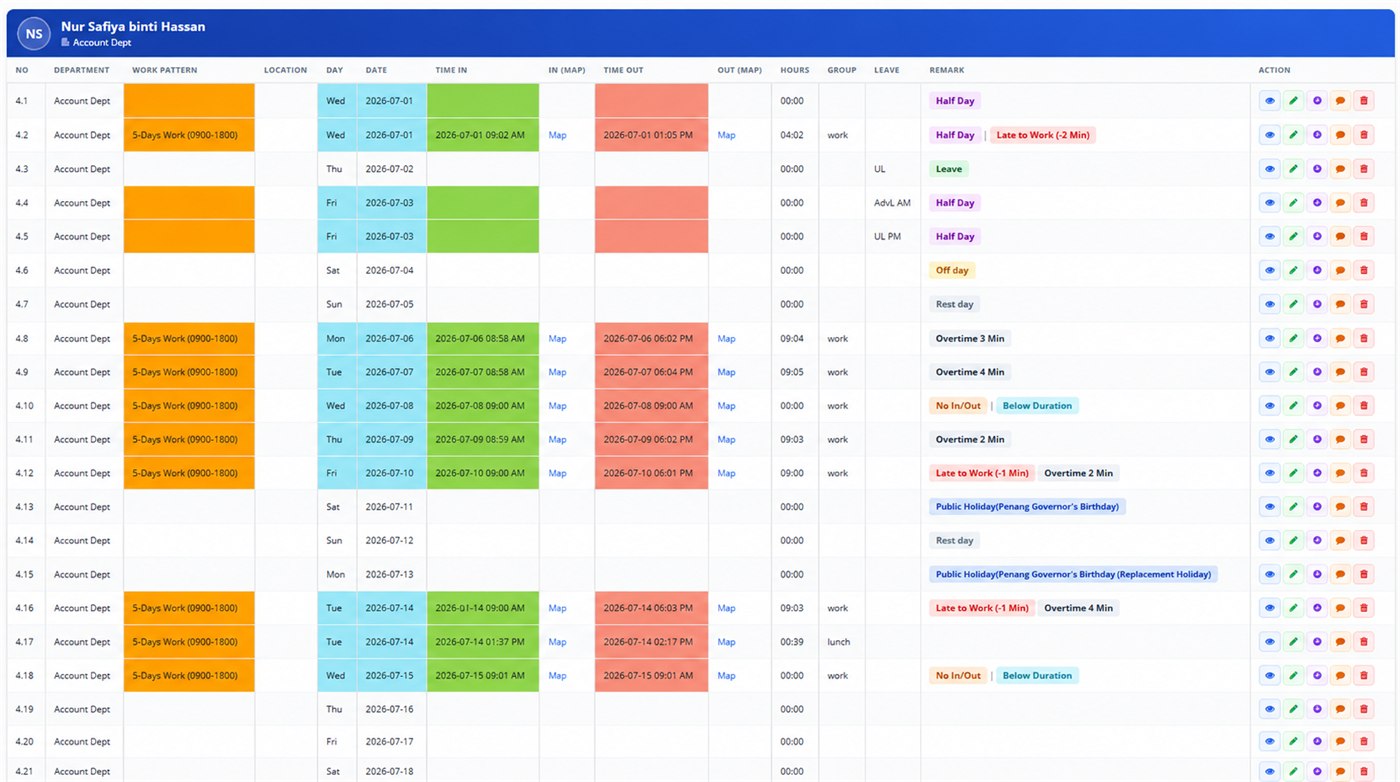
It lands online as attendance
The scan is posted as that day's attendance record, with time in, time out, hours worked and any remarks.
Scanning, access, and the record
Badge scanning
A fixed BMO TF at the entrance, or the Android and iPhone app when you'd rather not mount hardware at all.
TF & app scanningTribar / door access
A valid scan releases the turnstile, so the clock-in and the way in are the same action — nobody can do one without the other.
Tribar accessDaily attendance & reports
Times in and out, hours, work pattern, leave and public holidays, with late and overtime worked out for you.
The daily recordClocking in and getting in are the same thing
A wall-mounted clock can be walked past. When the scan is what releases the tri-bar, attendance stops being something staff remember to do and becomes something that happens because they came to work — and buddy punching gets a lot harder.
- No scan, no entry — so no missed clock-ins
- One person, one badge, one turn of the barrier
- Works the same on the way out
- Record-only mode if you'd rather not fit a barrier
How many staff, and how many doors?
Tell us your headcount and how they arrive. We'll size the devices, tell you whether a turnstile is worth it, and set the whole thing up on site.