Find out what your queue is actually doing
Every ticket, call and wait is recorded. The portal turns that into a live dashboard, KPI reports, a calendar of activity and a customer list — per branch or across all of them. And the links your customers hold expire when their visit is done.
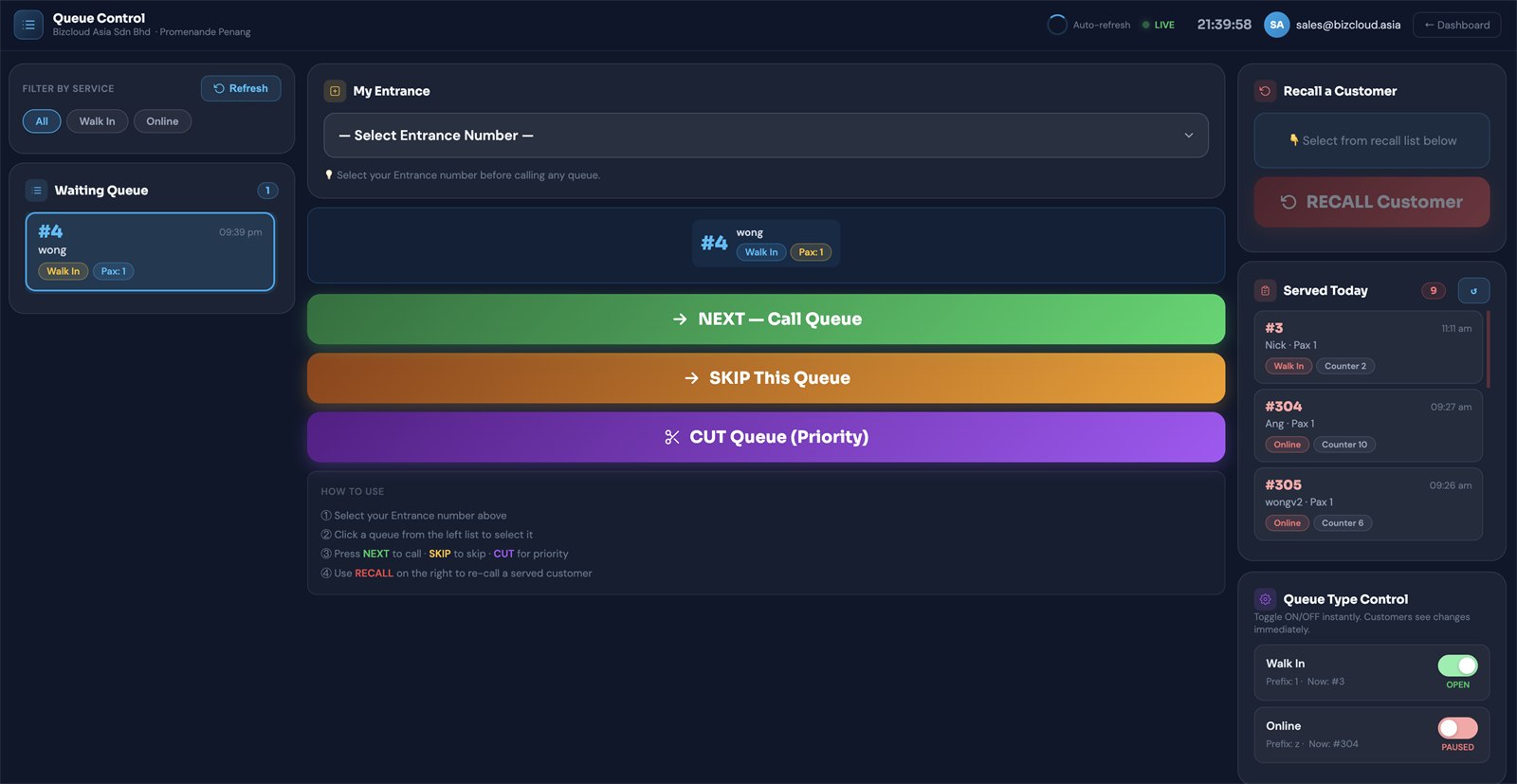
The reports you'll actually open
Staffing decisions stop being guesswork once you can see when people arrive, how long they really waited, and how they rated the visit on the way out.
Real-time dashboard
Live view of what is happening right now — waiting, serving and served, updating on its own.
Queue KPI report
The numbers that matter: volumes, waiting times and how quickly customers were seen.
Queue calendar
Activity laid out by date, so busy days and quiet ones are obvious at a glance.
Daily, weekly, monthly
Standard reports over the period you choose, ready to hand to management.
Queue request history
Every request that came in, with who it was and when — searchable after the fact.
Queue number report
A breakdown by queue number and type, for reconciling a day you need to account for.
Serve Status Report
Average waiting time, serving time, completion rate, no-shows and open tickets, per service and per counter. Needs Serve Status & Timer on in Queue Control.
Customer Satisfaction Report
CSAT, unhappy share and net happiness from the smiley kiosk, by counter, service, weekday and hour, with rating against waiting time.
The list builds itself
New: Privacy Mode. Branches can hide the phone number field. These tickets store no phone number and create no CRM contact record. Customers still enter a name for calling, and queue reports remain available. Bizcloud support enables the setting per branch; admins can view it in their profile. See all three phone-number options.
In the standard WhatsApp flow, customers give a name and phone number, so a contact list accumulates as a by-product of serving people — no separate sign-up sheet, no clipboard at the door. Every visit is attached to the person who made it.
- Name and phone captured at the point of joining
- Visit history attached to each customer
- Searchable list in the portal
- Useful for follow-up, reminders and repeat visits
It is your data and your responsibility — tell customers what you'll use it for, and only use it for that.
Run every branch from one login
Head office sees all of them at once, can compare them against each other, and can change a branch's settings without getting in a car.
Live branch dashboard
Every location on one screen, so head office sees which branch is under pressure.
Branch comparison
Rank branches against each other and sort by whichever metric you care about.
Single branch report
Drill into one location on its own when a number needs explaining.
Remote branch settings
Change a branch's queue types and configuration without travelling to it.
Branch user management
Control who can sign in and work the queue, per location.
Branch queue types
Each branch runs the services it actually offers, not a shared compromise.
A queue link is good for one visit
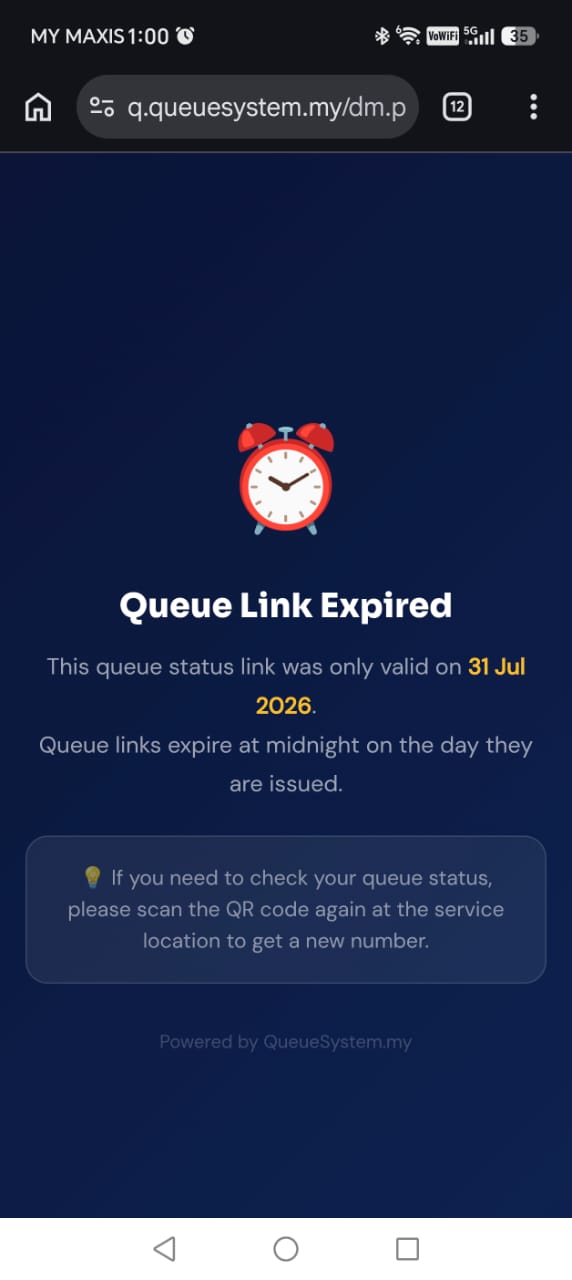
The link a customer receives is tied to that visit. When the visit is finished the link expires, so an old ticket can't be reopened, reused, or forwarded to somebody else to jump the queue with.
- Links expire once the visit is done
- An expired link can't be reused or shared on
- Clear message rather than a broken page
- Nothing sensitive left sitting in a chat thread
Who can see and do what
Admin login required
Only signed-in staff see the waiting list or call a customer. The account in use is shown in the header the whole time.
Accounts per branch
Staff are given access to the location they work at, so one branch's queue isn't visible to another's counter.
Nothing lives forever
Customer links expire with the visit, so there is no permanent public URL attached to somebody's queue record.
Hosted and maintained
The portal is hosted for you — no server to patch at your end. If your rules require data on site, use the on-premise system instead.
Ask to see the reports with your own numbers
The quickest way to judge this is on a call — we'll walk the dashboard and reports using service types that match your counters.